Wallet-SDK
Build your apps with Obsidion Wallet!
The @nemi-fi/wallet-sdk is a joint project between Nemi.Fi, Azguard Wallet and Obsidion Labs.
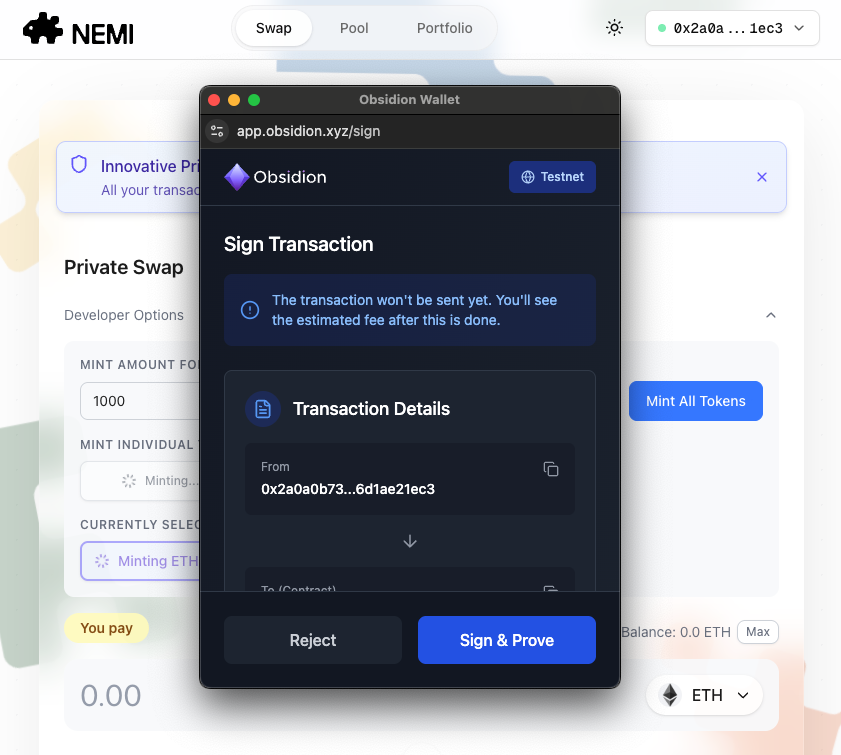
With the wallet-sdk, you can connect your app with Obsidion Wallet and sign transactions with your Obsidion accounts.
Quick Start
Prerequisites
You need your Obsidion accounts deployed on Obsidion Web App on a network you want to use.
Installation
pnpm i @nemi-fi/wallet-sdk@0.87.2-next.1
Example
import { AztecWalletSdk, obsidion } from "@nemi-fi/wallet-sdk";
import { Contract } from "@nemi-fi/wallet-sdk/eip1193";
import {
	TokenContract,
	TokenContractArtifact,
} from "@aztec/noir-contracts.js/Token";

// const NODE_URL = "http://localhost:8080" // sandbox
const NODE_URL = "https://registry.obsidion.xyz/node"; // testnet

// This should be instantiated outside of any js classes / react components
const sdk = new AztecWalletSdk({
	aztecNode: NODE_URL,
	connectors: [obsidion()],
});

// example method that does...
// 1. connect to wallet
// 2. instantiate token contract
// 3. send tx

class Token extends Contract.fromAztec(TokenContract) {}

const exampleMethod = async () => {
	// instantiate wallet sdk
	const account = await sdk.connect("obsidion");

	const tokenAddress = AztecAddress.fromString("0x0000...00000");
	const token = await Token.at(tokenAddress, account.getAddress());

	// send tx
	const tx = await token.methods
		.transfer(account.getAddress(), 100)
		.send()
		.wait();
	// simulate tx
	const balance = await token.methods
		.balance_of_private(account.getAddress())
		.simulate();
};

exampleMethod();
For more details, see example app repo
Configuration & Tools
Networks
Obsiidon App offeres three default networks below
Sandbox
- PXE: In-Browser
- Proving Disabled
- You can enable proving by setting
prover_enabledtotruein local storage.
- You can enable proving by setting
- Node URL: http://localhost:8080
- L1 RPC URL: http://localhost:8545
Obsidion Devnet
- PXE: Docker
- Proving Disabled
- Node URL: http://pxe.obsidion.xyz/sandbox
- L1 RPC URL: http://pxe.obsidion.xyz/sandbox-l1
Testnet
- PXE: In-Browser
- Proving Enabled
- Node URL: https://registry.obsidion.xyz/node (http://34.169.170.55:8080 )
- L1 RPC URL:"https://eth-sepolia.public.blastapi.io"
Custom Networks
You can add custom networks to the Obsidion App. To do so, go to network settings, click on the
Add Network button and provide URLSs. *Docker PXE is not supported.
Advanced Mode
Here is a few useful tools available in our web app. In settings navigate to advanced to activate these features and they will become active in your navbar.
Troubleshooting
Unsuccessful simulation call
If wallet tab, e.g. app.obsidion.xyz, is closed or duplicate, simulation rpc call gets droped. Make sure you keep it open while using dapp.
CORS error with your local sandbox.
If you can't use your local sandbox due to CORS's blocking, you probably need to run a proxy server locally at a different port that relays the calls between wallet frontend and your local sandbox. Feel free to reach out to us, then we can share the codebase of the proxy server.
Support
Please join our Signal group for more help and feedback.